Top Social

the world of funky templates

Image Slider

new release - Break the Ice

14/09/2013

The weekend means new releases in my both shops – DSB and mscrap. I’m trying to catch up with my mscrap shop and still adding some older releases already available at my DSB shop. It means you can still get some of the pack at the special price each week.

This week I have for you a pack called BREAK THE ICE.

Why did I chose this name? Some people are a bit afraid of the templates that take up the whole page. They got used to small – clean and simple pages. I felt this way some time ago but I wanted to get out of my comfort zone and started experimenting and I’m so glad I did! Big templates still can look clean and elegant, it only depends on you how you use them. You always can delete some parts or change the opacity of the layers. This pack is really versatile. All templates are big but the style of each one is really different so you may try different techniques on each one. Just try it and have fun, experiment with papers and it’s opacity, change the shadows and I’m sure the effect will be stunning. You will find below some pages from the team that hopefully can inspire you. I would love to see what you achieved so be sure to contact me and show me your pages.

Ok I leave you with the pack and some great pages:


and here are some pages from the team:

 by Diane
 by Diane
 by sucali
 by Mary
 by mrphoto
 by MissK
 by Mary


For those of you who haven’t seen JJD facebook fan page here are the new mscraps releases:


thanks for stopping by and have a nice weekend
 

Focus on Photography - ROCK your cell phone camera

10/09/2013

One of the greatest things invented is the Smart phone.  A phone, computer and camera all in one – what more could we ask for?  Now we can take photos any time, all the time.   The only disadvantage to the cell phone camera is the quality.  The Nokia Lumia 1020 – the cell phone with a 41 megapixel camera, may change all of that, but for now, you’re not likely to get professional grade quality from your cell phone, but then you’re likely using it to capture everyday moments and not poster-sized canvases.

I love my cell iPhone 4s.  I never leave home without it and I love that I can always have photos without taking my dSLR everywhere.  This year, I’ve made a point to learn to use the camera better and play around with editing the photos.  This week, I’d like to share some tips to really rock your cell phone camera.  All of the photos in this post were taken with my iPhone 4s.

Tip #1- Light
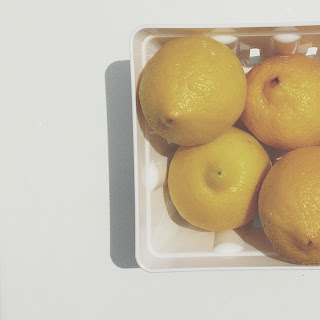
Once again, our main consideration when taking photos is light.  Cell phone cameras really need a lot of light.  They do not work well at all in the dark and the LED light makes a better flashlight than flash, but it’s better than nothing, so we make the best of it.  I usually turn mine off.  I know I run the risk of camera motion, but I try to hold as still as possible.  This is also a good time to mention that the front camera (at least on the iPhone) is much worse in quality than back camera.


Tip #2 – Watch your background

As with any photo, pay attention to what is in the background.  Avoid clutter or objects coming out of people’s heads.  Ok, realistically, it's unavoidable to catch the right moment at the right time without also grabbing some background.  That's where editing can play an important role in your shots.  Other times, it's easy to set up a shot just the way you want.  Also, watch the horizon. The world might not be flat, but it should look like it is in photos.  We don't want anyone sliding off the edge of the world!  ;)


Tip #3- Editing apps

It’s very rare these days to see any photo that hasn’t been edited to some extent.  There are endless apps out there for editing photos, from free to quite a few dollars.  I don’t have all of them, so I’ll share a few of my favorites.

A.     Editing apps
a.     Snapseed – Full control of brightness, contrast, color and even some special effects.  I love this app for great all-purpose clean editing.
b.     VSCOcam – If you like the VSCOcam presets or just want to try something new, then you’ll love this app.  Perfect black and white images with one click.  I've also become quite fond of the "faded and moody" set (T1-3).

Edited with VSCOcam
c.      BigLens – add some depth of field and bokeh as if you took a shot with a wide aperture.
Edited with BigLens
d.     PicTapGo – From the makers of the totally RAD actions – find popular combinations or create your own.
e.     Picfx – Edit with fun presets, including light, textures and frames.
Edited with Picfx

Word art by Rhonna Designs
B.     Presentation
a.     PicFrame – Put multiple pictures together to make a collage.
b.     Line camera – Add cute little doodles to your photos.
c.      Over – Add text and doodle overlays.
d.     Beautiful Mess - Add text and doodle overlays.
e.     Rhonna designs – virtual scrapbook pages right at your fingertips.


 C.     Posting
a.     Instagram
b.     InstaWeather
c.      InstaFood
d.     InstaQuote, 
e.   InstaETC…Yes, I'm kidding about that one, bu there seems to be a ton of apps for posting any category you can imagine.
D.    Other
a.     Photo365 – one of my favorite ways to remember when photos are taken and perfect for Project Life!
b.     Photosynth – Create amazing, 3D panoramic images.
c.      Skitch – draw your own doodles for fun or add them to photos.


Tip #4- Accessorize!

macro attachment used
A.     Lens attachements - I have the ones from PhotoJoJo, but I’ve heard good things about the Olio Clip ones as well.  The set includes a telephoto lens, wide angle lens, and a macro.


waterproof case by DriSuit


  B.     Weather proof case -  Take your cell hone to the beach or underwater without worrying about the sand or water damage.  I have one from DriSuit.

  C.     Tripod – can you beleive the make little tripods for cell phones?  How fun!


Tip #5 – HAVE FUN!

My favorite tip is to always remind you to have fun.  Enjoy what you’re doing and the memories you’re capturing.  Remember that the whole reason we scrapbook is to remember the times that pass us so quickly…so make sure you enjoy them!

Here is a LO I did with a photo from my cell phone.  I used the Jimbo Jambo template Party Piece and papers and elements from How it Began by One Little Bird, and the quote bubble from His & Hers by Paislee Press.


Inspiration pages 08/09

08/09/2013
Here comes another post with great inspirations from Jimbo Jambo Designs galleries. Be sure to post your pages  on facebook or email me and you get a chance to receive 5$ coupon to my shop.


by Julia
with Champ at the bit

by Diane
with Spring Carnival Collab

by MissK
with Eager Beaver

by Mary
with Mix Max Vol.3

by Maribel
with Spring Carnival Collab

by Mary
with Shillyshally

by Diane
with Back in 5 minutes

by Marnel
with Eager Beaver

by Raquel
with Spring Carnival Collab

used packs:


2$ deal at DSB - 04/09 - Inside out

04/09/2013
When I started scrapbooking, I was always drawn to designs that were tilted in the gallery, but for the longest time, I couldn't do it well - struggle even now sometimes :)

Well, we have the perfect answer to my problems in Jimbo Jambo Designs' Inside Out template pack. The pack is very versatile with its tilted, layered feel.

Today at 2$ deals at DSB, you can grab these Inside Out Templates for just $2!
Add these amazing templates to your stash soon as the offer is good just for today.
Here is the template pack:


And here come the beautiful creations of the CT:

By Tori:


By Nikki


By Cheryl


By Farrah


By Jen


By Sucali


Another one by Sucali:


By Marnel


More can be seen in the pack preview.

 Thanks for stopping by and hope you have a great day!

Photography Tech Talk - DSLR vs Point & Shoot cameras

03/09/2013

A couple of weeks ago, I was chatting with a friend whose grandchildren are roughly the same age as my children.  We were talking about photos and taking snapshots at her grandson’s birthday party.  She asked me what the difference is between a point and shoot camera and a DSLR and if having a DSLR would help her take better photos.  That conversation reminded me that not all scrapbookers are photographers.  Most of my scrapping buddies are scrapers-turned photographers – returned scrapbookers, but there are tons of scrappers out there using all types of cameras, so I thought I would focus this week on some technical talk about cameras.  I’ll preface this article with the fact that currently, I do not have a point and shoot camera.  I use my cell phone for random snapshots and I’ll focus on the cell phone camera NEXT WEEK.  I totally rock the cell phone ;)

P&S vs DSLR – What is the difference and what are the pros and cons for each?

A P&S is typically smaller and lighter, with limited features.  These can be both pros and cons. A small, lightweight camera is great for carrying around with you to capture everyday moments.  Most will fit in your pocket.  However, a smaller size camera also means a smaller sensor and a smaller sensor means a lower quality photo.  From a scapbooking perspective, theoretically, you will not be printing photos larger than say 12x12 (and likely, much smaller), so this may not be a disadvantage at all.  The lens is fixed, making the overall camera smaller and lighter, and P&S cameras are easy to use in that literally all that is required is to point and shoot.  The disadvantage here is that you give up creative control.  You will get a mid-range zoom lens with a wide depth of field.  Sure, most of your photos will be in focus, but that also means that most of the photo itself will also be in focus.  One main thing that separates the style of snapshots from portraits is the separation between the subject and the background.  This is achieved by shooting with a wider aperture that just isn’t an option with a P&S.  Shooting in low light conditions is another area of give and take.  A point and shoot camera simply can not perform well when the lights go down.  The response here is the added flash.  I’m not a fan of ever using a flash, but it’s the only option with a P&S.  The biggest disadvantage, in my opinion, of a P&S camera is the time it takes for most of these cameras to take a photo.  If you have younger children, then you know exactly my frustration.  Kids are far too active for most P&S cameras to keep up.  You’re likely to miss a moment, or capture some motion blur when chasing after an active toddler.  And finally, the lower cost of most P&S cameras make them a very attractive option, especially for scrapbookers.

DSLR cameras are always going to have a much larger sensor than a point and shoot camera – which means a much larger image quality and the ability to print enlargements of any size imaginable.  DSLRs are larger and HEAVY.  The lenses are larger and HEAVY and a large assortment of lenses means a greater number of creative options, but you’re unlikely to carry them all around.  These can be a disadvantage when you’re out and about, on vacation or just at the park.  You’re unlikely to just toss one in your bag and off you go.  Most photographers have larger, dedicated bags for camera equipment.  DSLR cameras are fast – many with the ability to shoot 3.5 or greater frames per second.  This is a huge advantage for photographing sporting events and young children.  I mentioned earlier about low light being a problem for P&S cameras.  The larger sensors of DSLRs  allow them to perform far better in low lighting, without requiring a flash.  Many DSLRs don’t have a built in flash – but sometimes a flash is needed, in which case, we’re adding to the amount of equipment to buy and carry around.  This leads me to my last point for today: DSLRs are much, much more expensive.  There are many more items to buy and learn to use.  There will never be a time in which you just pick one up at the store, take it out of the box and immediately start shooting.  The learning curve of shooting with a DSLR is extensive and time consuming.


Is a DSLR for you and do you really need a DSLR?

As a professional photographer, of course I need to have a high quality DSLR and a plethora of lenses, but let’s just talk about my personal photos.  I enjoy the creative aspects of photography.  I love to change my lenses, shoot wide open, and play with fun effects created with lenses like the Lensbaby Composer.  I don’t think that I would be satisfied without a DSLR.  Would I like a Point and shoot?  YES, but for reasons not related to photo creativity or quality.  This isn’t to mean that you can’t get great photo quality from a point and shoot, I just mean that I would choose a P&S camera for other, more appealing features.  I would love a lightweight camera that is waterproof and shock proof.  Something that could go anywhere, any time.  A camera to take to the pool or the beach and not have to worry about getting it wet.  A camera to take hiking and not feel like I have to lug 10 extra pounds up 14,000 feet.  A camera that I could hand over to the kids and say “have fun” without worrying about losing my job. 

Before heading out the to the camera store, as yourself what aspects of photography are most important to you.  There are definitely advantages and disadvantages to both types of cameras – do your research and find the right features that are for you.

And although I would love to have a P&S camera, here is an image that can only be achieved with a DSLR with a creative lens – in this case, I used the Lensbaby Composer pro with the sweet 35 optics.  I love the fun effect I get with this lens.  


For the layout for this photo, I used a template from the Twist of Fate template pack by Jimbo Jambo designs and the collaboration kit, For the Record from One Little Bird and Paislee Press.


New release at DSB and Mscraps - 8/30

01/09/2013
As we draw the curtains on summer and get ready for the fall, hope you have tons of photos and memories from the summer past. Don't let the photos overwhelm you. Get ahead on your scrapping with Jimbo Jambo Design's brand new template pack - Season Review - ideal to capture multiple photos and keep you on track the scrapping to do list :)

The new pack - Season Review-  releases in the DSB store today.

Don't forget to grab it this weekend when it will be at a super 20% discount.


Here is the pack:


Here are the pretties by the CT:
By Marnel


By Jen - our very special September Guest CT member :)


By LC


By Maribel


By Marnel


By Mary


By Raquel


By Tori


More can be seen in the pack preview.

Also, the packs below are now releasing at the Mscrap store. Do visit the store in case you haven't added it to your stash yet. These are also 20% off during the weekend.


Have a great weekend and thanks for stopping by!

Auto Post Signature

Auto Post  Signature